

How it works
bitwerk is a music system for your building. You own your music as files, the server keeps them, and players in the rooms play them unaltered. Nothing needs the cloud, and nothing needs a subscription.
The building blocks
Section titled “The building blocks”| Part | Where it runs | What it does |
|---|---|---|
| Server | A Linux machine in your building, or the bitwerk Base | Keeps the library, runs the rooms, queues and the web UI, and streams the files to the players |
| Player | A Raspberry Pi with a DAC per room, or the bitwerk Streamer | Fetches the file, sets the DAC to the file’s rate, plays |
| Touch display | On a player, or on its own as a room control | Shows Now playing and controls the room |
| Controls | Any browser, phone, tablet, Stream Deck, OSC faders | Pick a room, play, set the level |
A player can play, show, or both. Control the system from any browser on the network, from the touch display, with a Stream Deck or with OSC faders; every device sees the same state at once.
The path of a track
Section titled “The path of a track”- You pick a room in the web UI and tap a track.
- The server puts the track in the room’s queue and tells the player there.
- The player and the server agree on how to play it: they match the file’s format against what the DAC can do (rate, bit depth, DSD) and the room’s settings (ReplayGain, volume mode).
- The player fetches the original file, decodes it and sets the DAC to the matching rate. It passes the samples on unchanged as long as nobody asks for volume, EQ or ReplayGain.
- The player reports what the DAC gets. The web UI then shows, for example, “96 kHz / 24-bit” with the badge “Bit-Perfect”.
- Before the track ends, the player prepares the next one, so there is no gap.
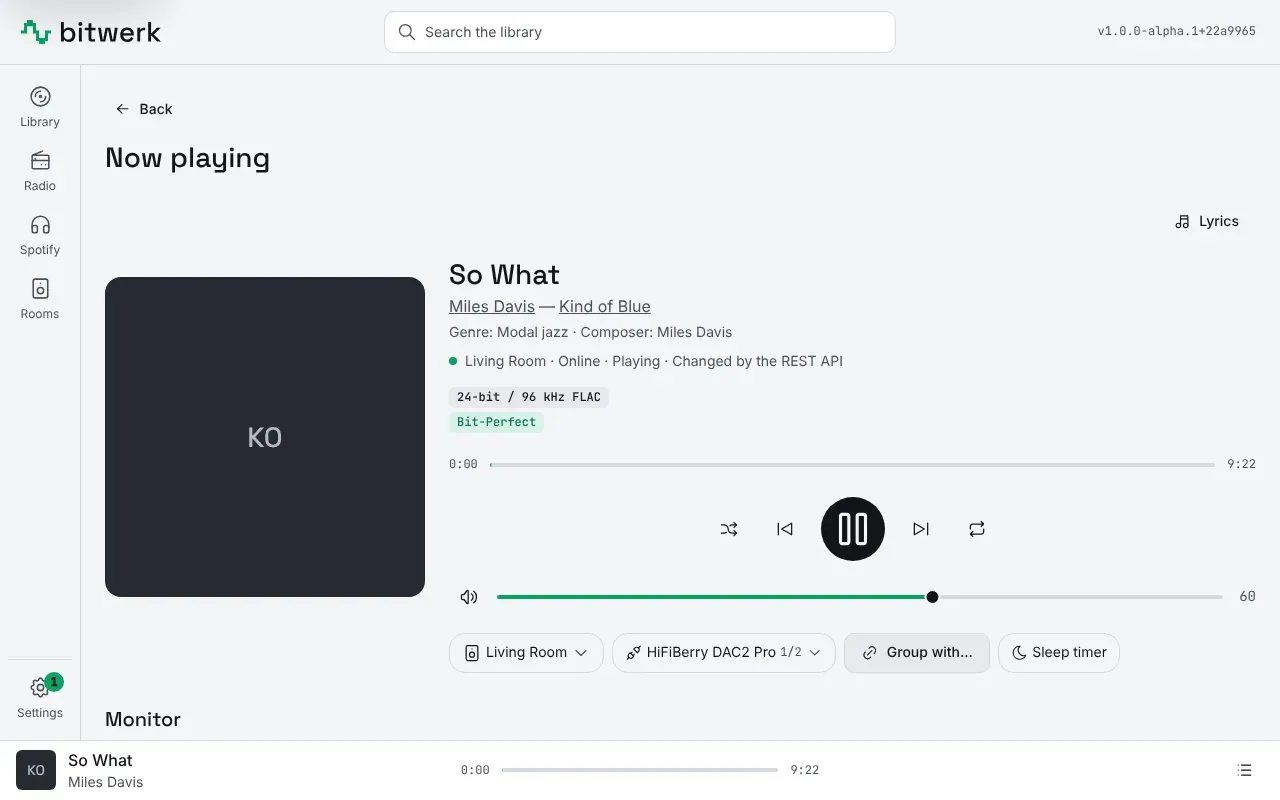
Bit-perfect : The samples reach the DAC exactly as they are in the file: no resampling, no digital volume, no dither. As soon as anything has to compute, the interface shows “DSP” instead of “Bit-Perfect”.
DoP (DSD over PCM) : Packs DSD data into PCM frames with markers so that DSD can travel over interfaces that only know PCM. The DAC recognizes the markers and plays DSD.
ReplayGain / EBU R128 : Loudness matching between tracks or albums. The server measures loudness according to EBU R128 or reads existing tags; whether matching is applied is set per player.
Jitter buffer : A buffer in the player (default 2 seconds) that absorbs network fluctuations so the DAC is fed evenly.
Pairing : Every player gets its own key that identifies it to the server. On your network a new player gets it by itself; with Extended security a click or a one-time code from the web UI pairs it.
- Features in detail
- Products: the software and our own devices
- Quick start: get the server and the first player running
- Contact and ordering